Edit video right in your browser.
Multi-track timeline, AI captions, and effects — everything you need, nothing to install.
No installs
Completely free
No watermark
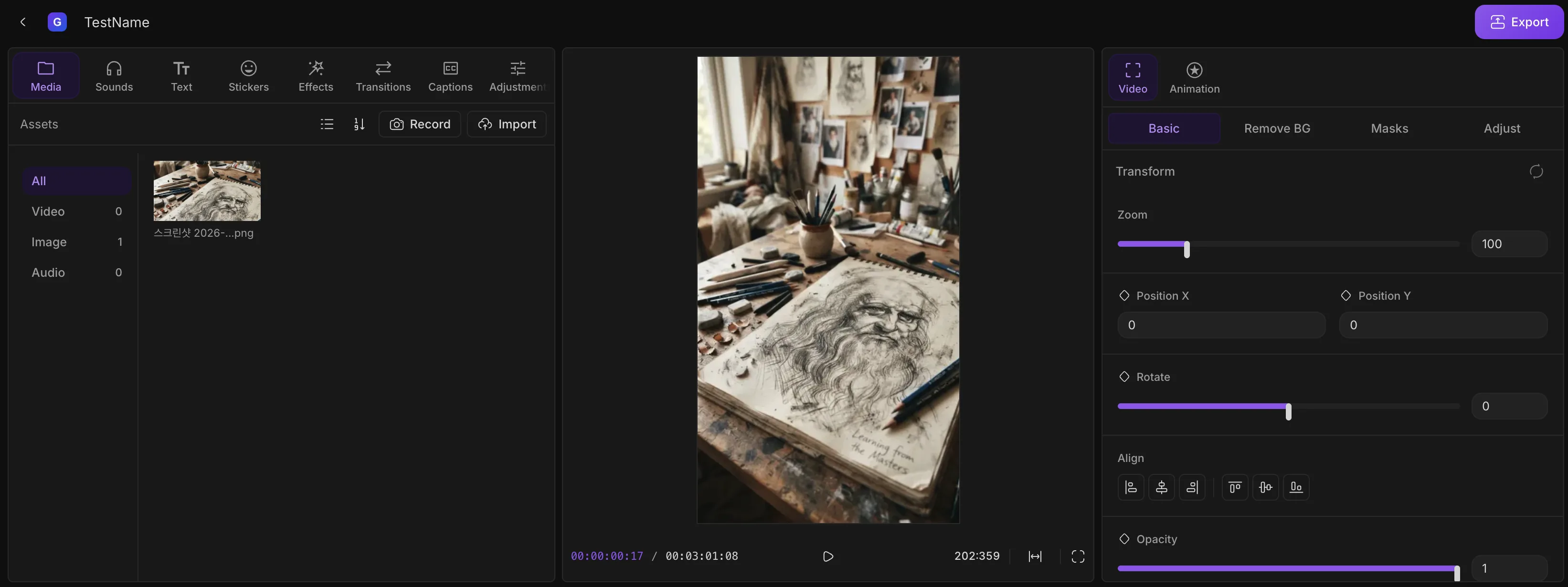
Multi-track timeline, AI captions, and effects — everything you need, nothing to install.
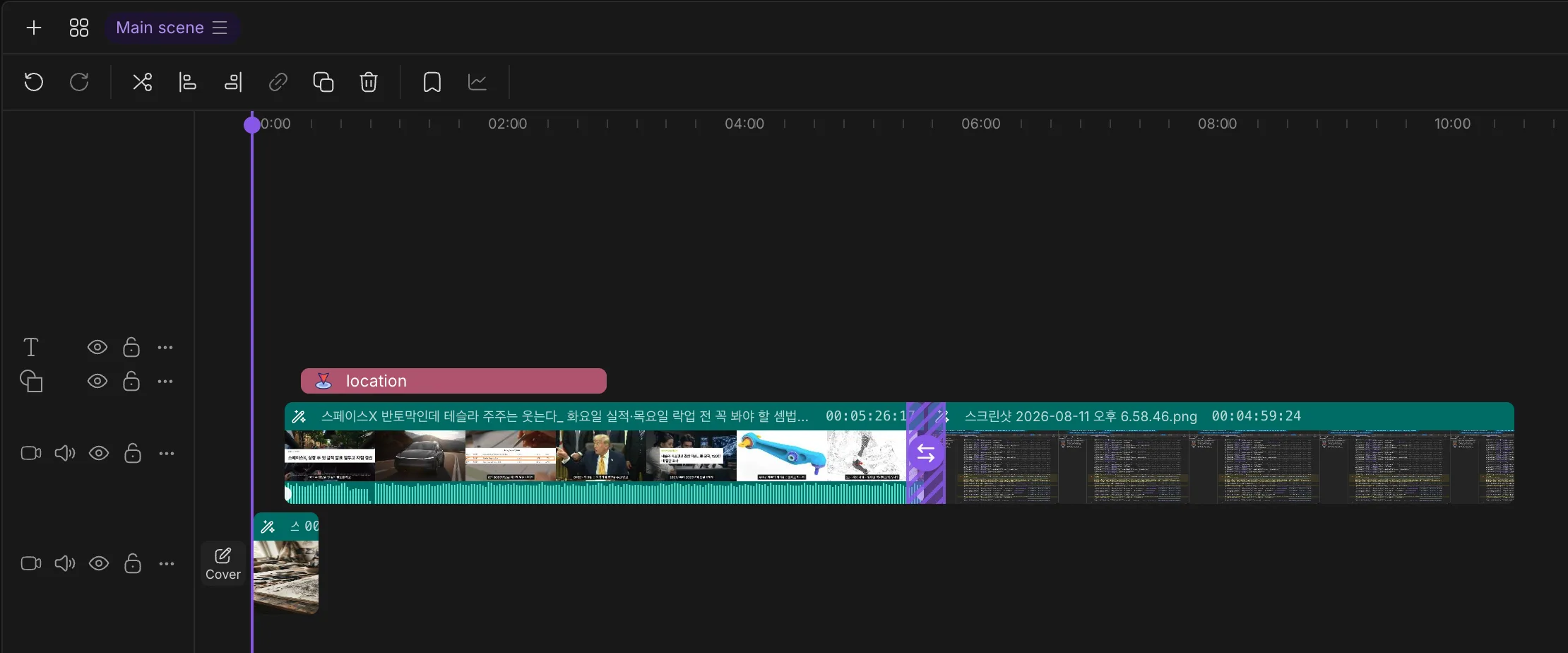
Timeline
Drag clips across unlimited video, audio, and text tracks. Trim, split, and reorder with the same precision you'd expect from desktop software — split-second timing, snap-to-edge alignment, undo/redo for every action.
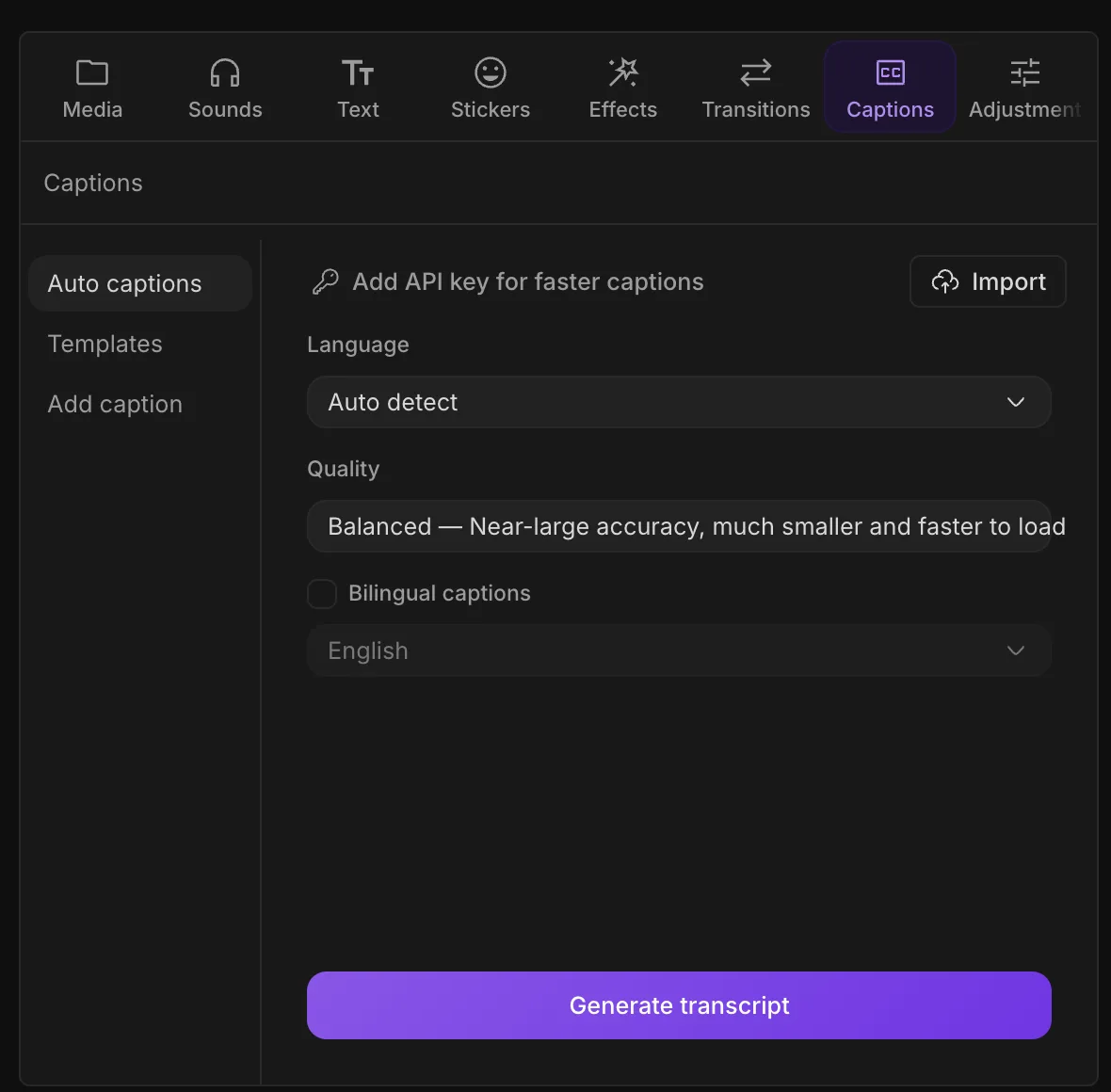
AI Captions
Transcribe your video and drop captions straight onto the timeline. Style them, time them, done — no separate captioning app, no round-trip export/import.
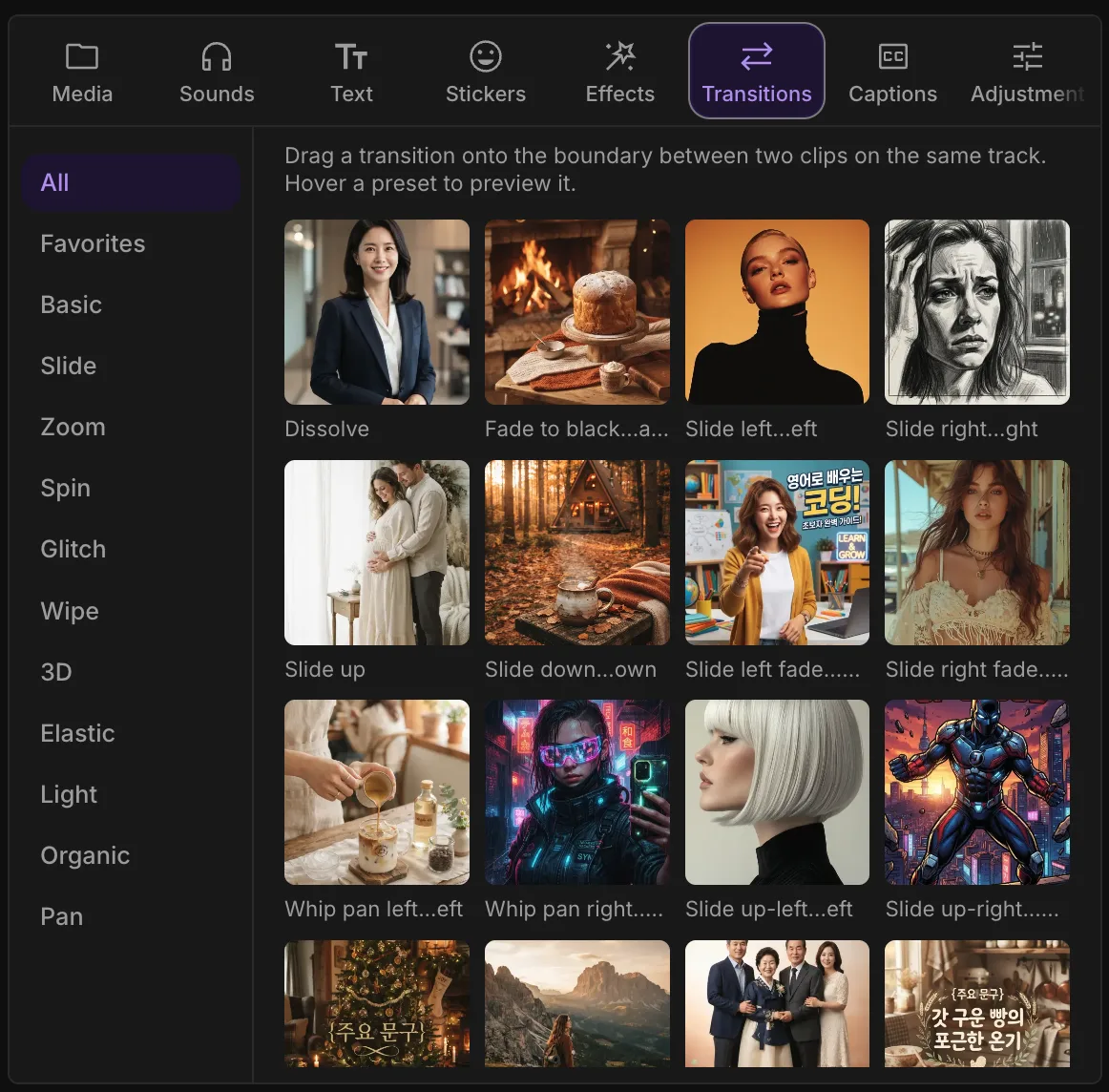
Text & Effects
Add animated text, speech bubbles, and transitions directly on the timeline. Preview changes instantly with live scrubbing — no render-and-wait cycle to see how it looks.
CapCut Alternative
| Feature | GenFlow Editor | CapCut |
|---|---|---|
| Transitions & effects locked behind Pro | No, all free | Many require Pro |
| Runs in browser, no install | Yes | Desktop / mobile app |
| Open source | Yes | No |
| Same features for every region | Yes | Varies by region |
Runs entirely in your browser tab. Open a project and start editing — no download, no server upload.
No subscription, no card required. The full editor — multi-track timeline, captions, effects — is free to use.
Every export is clean — nothing stamped on your video, no matter how you sign in.
No installs. No watermarks. Free to start.
Open GenFlow Editor